EVTX Reader fresh UI

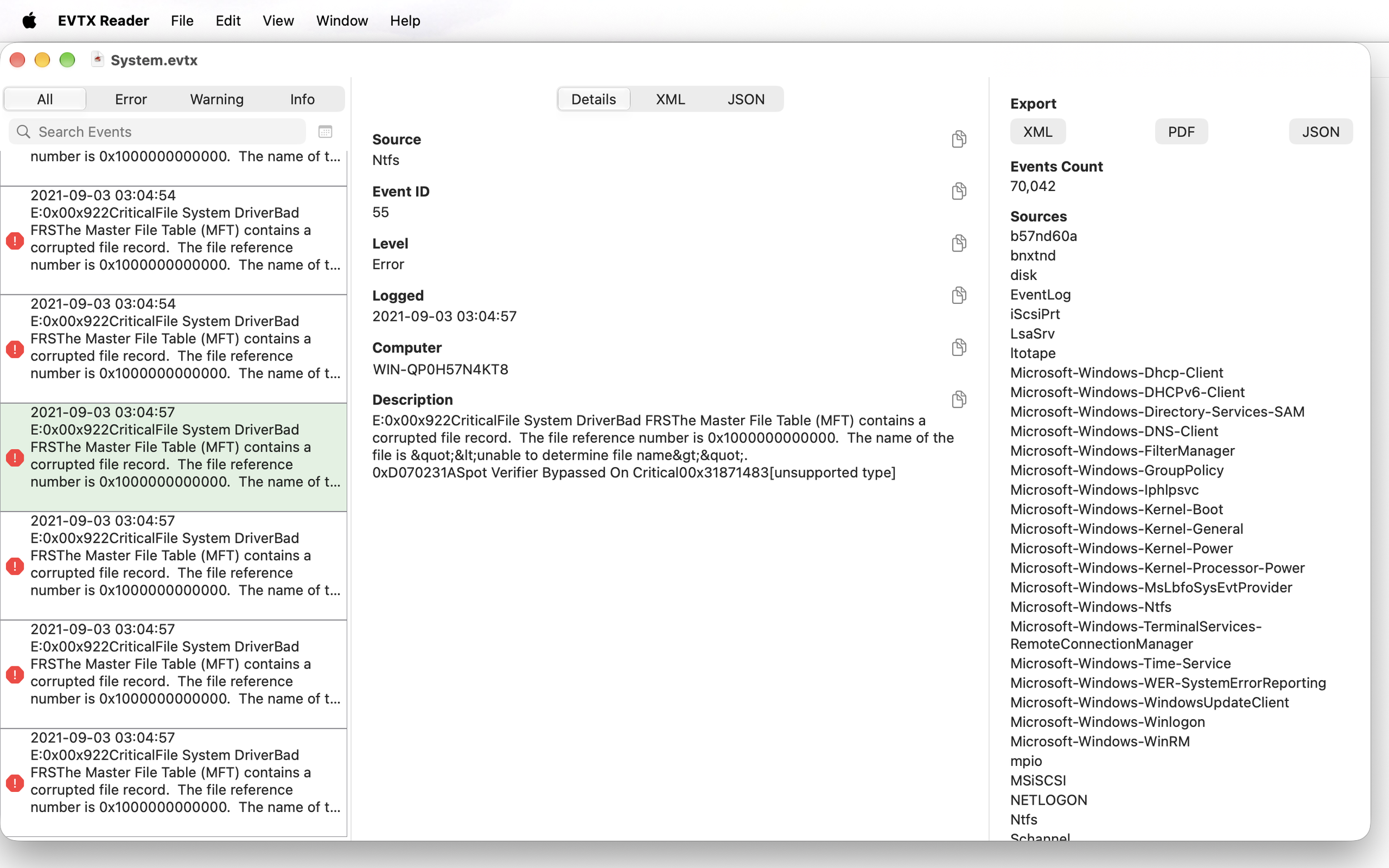
With macOS 27 and iOS 27 installed on my devices, I decided to rewrite the UI of EVTX Reader, but keep the previous code that parses the EVTX files. By choosing Swift UI the development to multiple platforms was easy, so anyone that purchased EVTX Reader for his Mac, can enjoy EVTX Reader on his iPhone or iPad.

I myself use it on my tiny iPhone 13 mini and enjoying it exactly like the older EVTX Viewer, which I kept on the iPhone App Store.

The usage of Swift UI also allowed me to add more features easily, so I added export to JSON and PDF. Also I added filter by time window.

Hope that users will find this newer version of EVTX Reader at least as useful as previous version.
Thank you Tom

I have update EVTX Reader and EVTX Viewer with small bug fixes.

I received email from Tom just after he bought EVTX Reader and it crashed when he attempted to open Application.EVTX file. With the help of Tom this small application is now more useful and able to handle more of those binary files.

Thank you Tom

EVTX Reader Crash Fix

EVTX Reader is not updated often. While I received several reports over the years about crashing, it is been a while since a user of the application sent me a file that crash the application. I would like to thank the user Adam for getting on the phone with me and sending me a file that crashed the app. This file included a type of event that was new to me (and the app). While the technical details of this specific event might not be interesting, I would guess that similar events exist for other users, so now the app will crash even less. So, thank you Adam !! And to other users, if you have a file that crashes the app (and there is no information in it that prevent you from sending it to me), please take the time to help you and the community of EVTX Reader users. Thank you.

Property Tools

The Generic Edit Dialog in version 0.9.8.7 is now supporting multiple Property Tools and new Color Picker tool.

Multiple Property Tools

Multiple Property Tools

The options to edit XML or to edit multiline text are added automatically in addition to the registered property tool (usually specific UI for the Body property of the Setting object).

Color Picker Dialog

The Color Picker tool is added when ARGB definition is present, for example #FFFFFFFF and it is also available while editing XML.

Color Picker Dialog

Color Picker Dialog